1. First, log into Ascriptica
2. Click on ‘Tools’ from the menu on the left.
3. By default, the ‘Tools’ tab is open, close that and open the ‘Settings’ tab as shown below
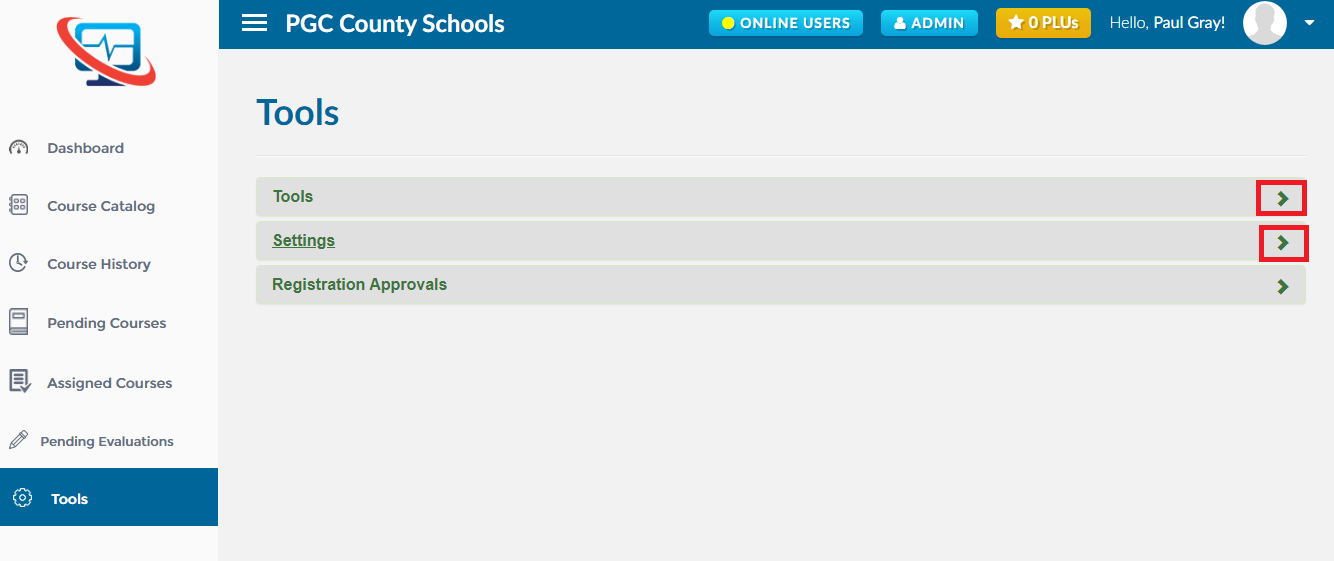
4. Click on ‘Organization’ as shown below to open the module
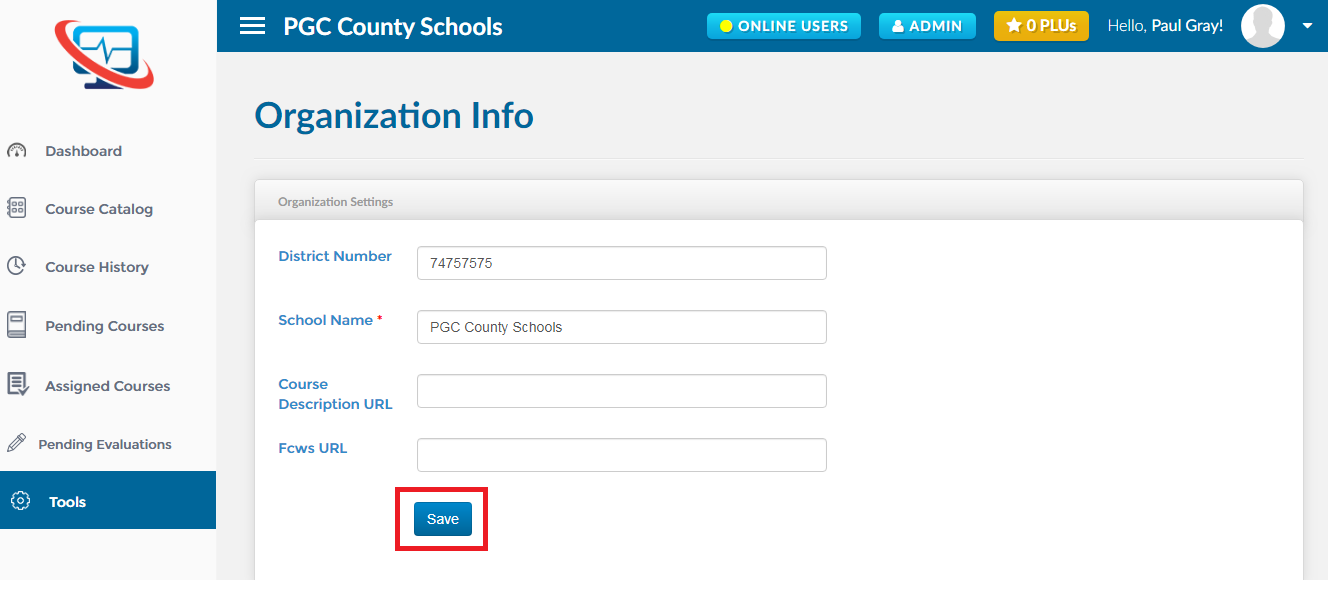
5. Update the organization information and click on the ‘Save’ button as shown below