1. First, log into Ascriptica
2. Click on ‘Tools’ from the menu on the left.
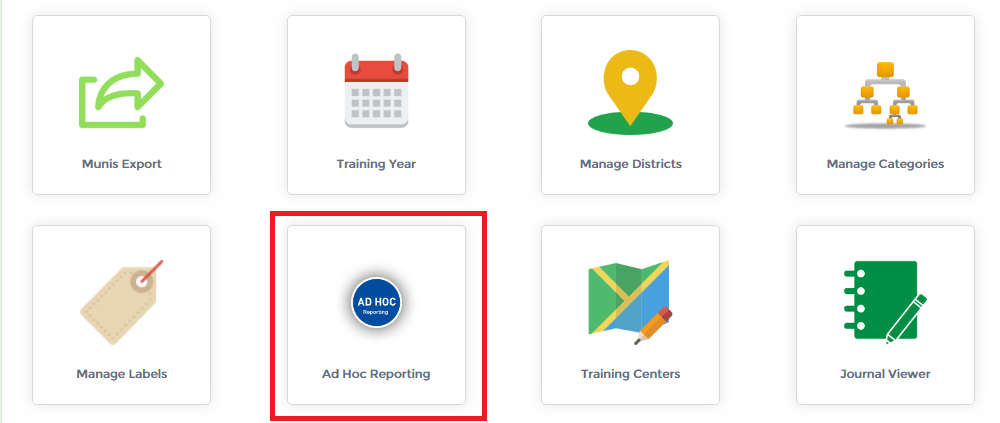
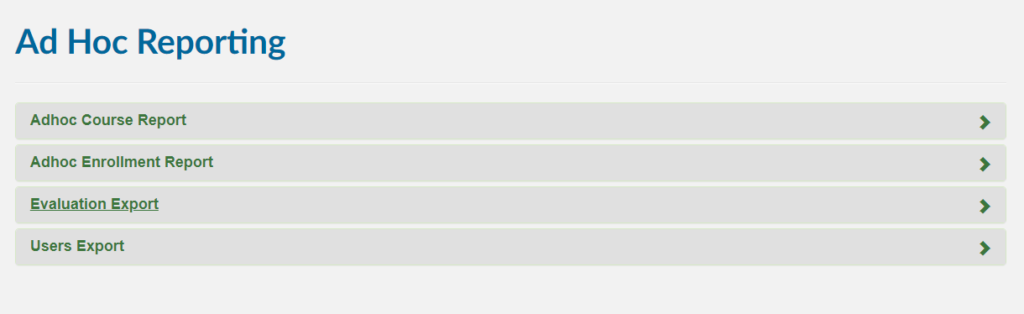
3. Click on ‘Ad Hoc Reporting’ as shown below to open the module.
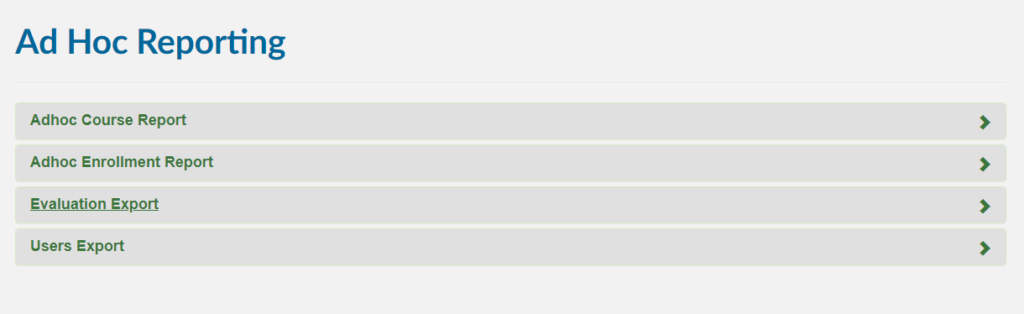
Generate Course Report: Here you can see all available Ad Hoc Reporting modules, click on the ‘Course Report’ to explore the module as shown below.
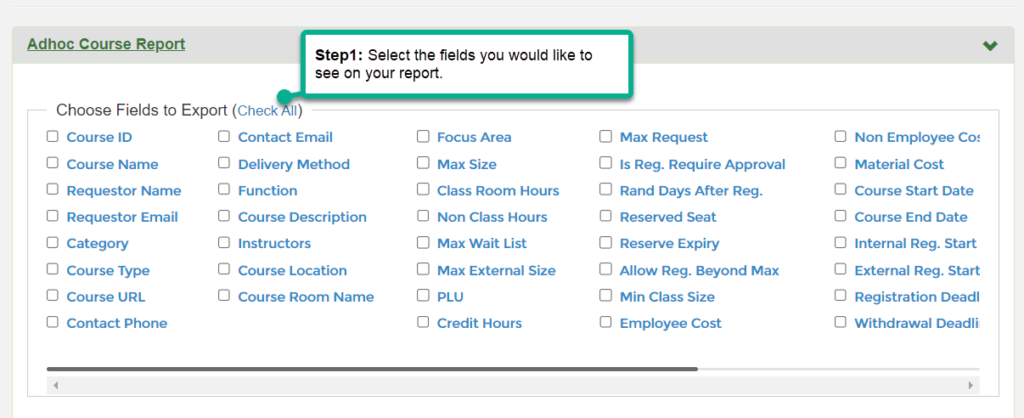
Step1: Choose the fields to export by clicking on the ‘checkbox’ on the left or select all by clicking on the ‘check all’ option as shown below.
Step2: Select the fields you would like to aggregate in your report.

Step3: Select your sorting option

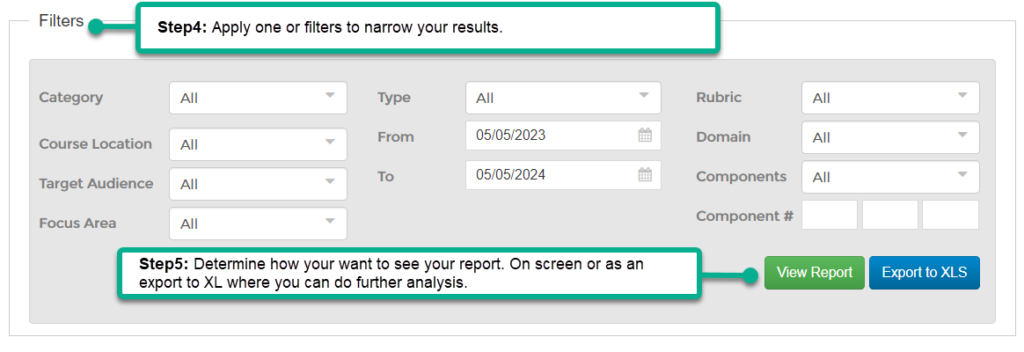
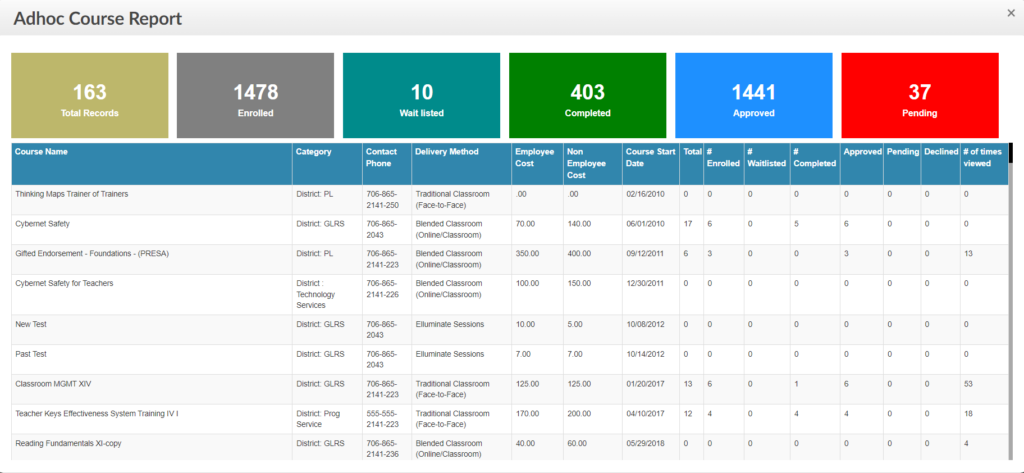
Steps 4 & 5: Apply one or more filters to narrow your results and then determine how you would like to view your report (on screen or as an export)
1. First, open the ‘Ad Hoc Reporting’ module. Click here to find out how to open the ‘Ad Hoc Reporting’ module.
2. Click on the ‘Adhoc Enrollment Report’ to explore the module as shown below.
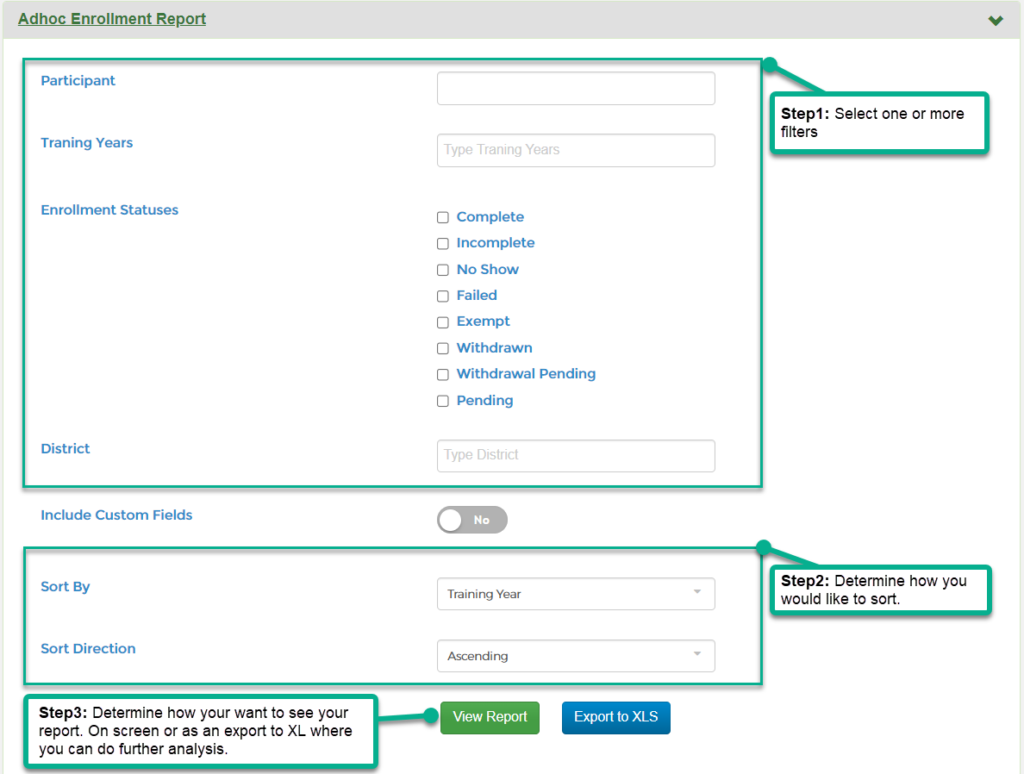
Step1: Select one or more filters such as training year(s), enrollment status or statuses, or district to narrow your results.
Step2: Select your sorting option.
Step3: Determine how you would like to view your report (on screen or as an export)