The Category Manager is used to create categories that organize offerings within your course catalog. When selecting courses, teachers may choose to look at offerings within each category individually. Classes within each category may be administered by school staff, and different preferences may apply on a per-category basis. Category administrators have limit access to the following admin modules: 
1. First, log into Ascriptica
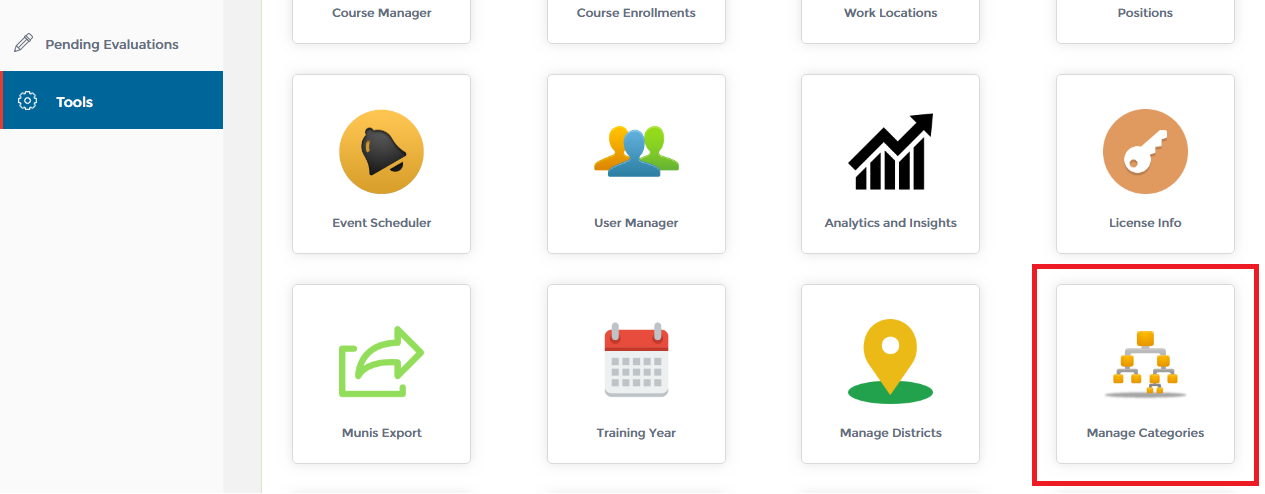
2. Click on ‘Tools’ from the menu on the left.
3. Click on ‘Manage Categories’ as shown below to open the module.
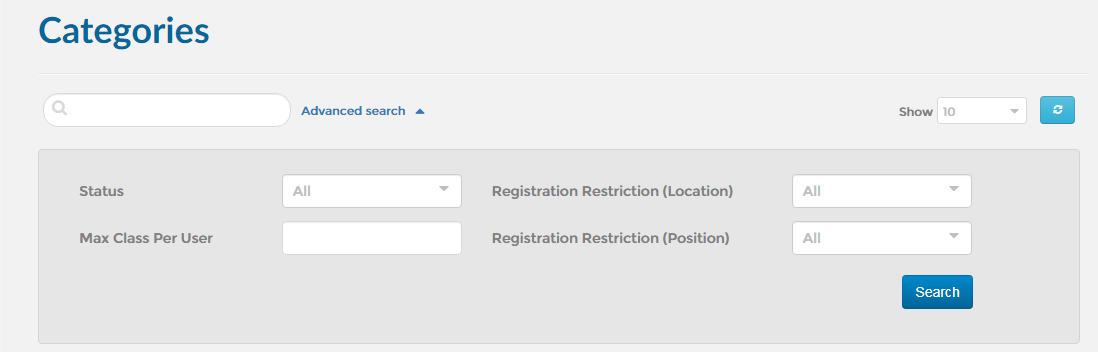
4. You may also search using one or a combination of the fields listed below:
1. First, open the ‘Manage Categories’ module. Click here to find out how to open the ‘Manage Categories’ module.
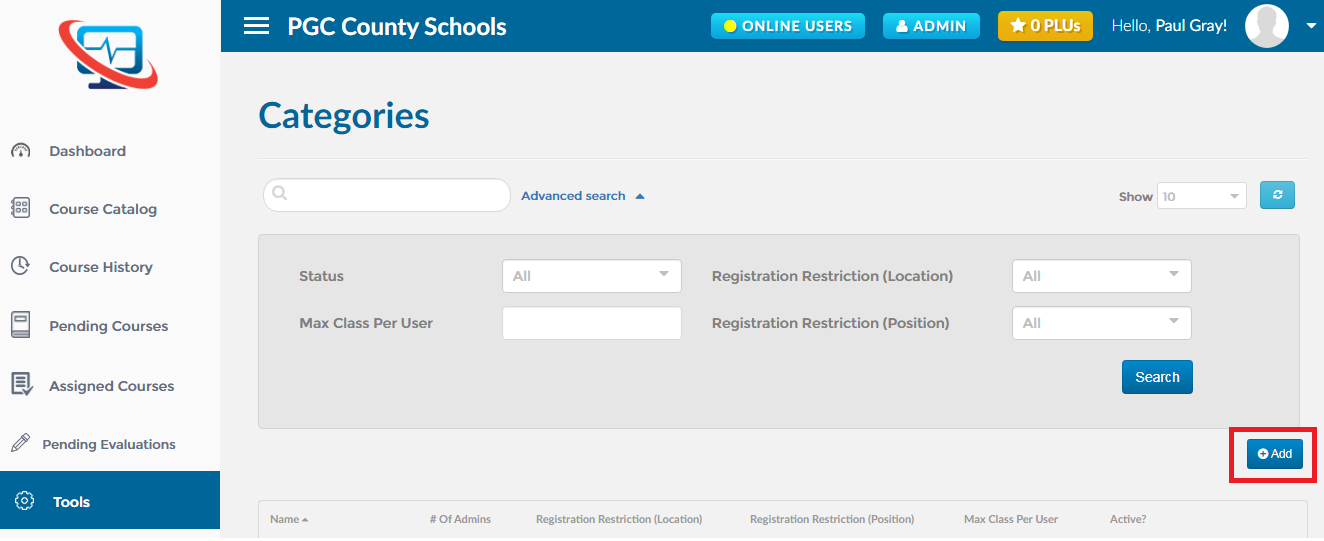
2. Click on the ‘Add’ button as shown below.
3. Determine if you would like the category restricted by work location and/or position. Also you must select one or more users to be administrators of this category.
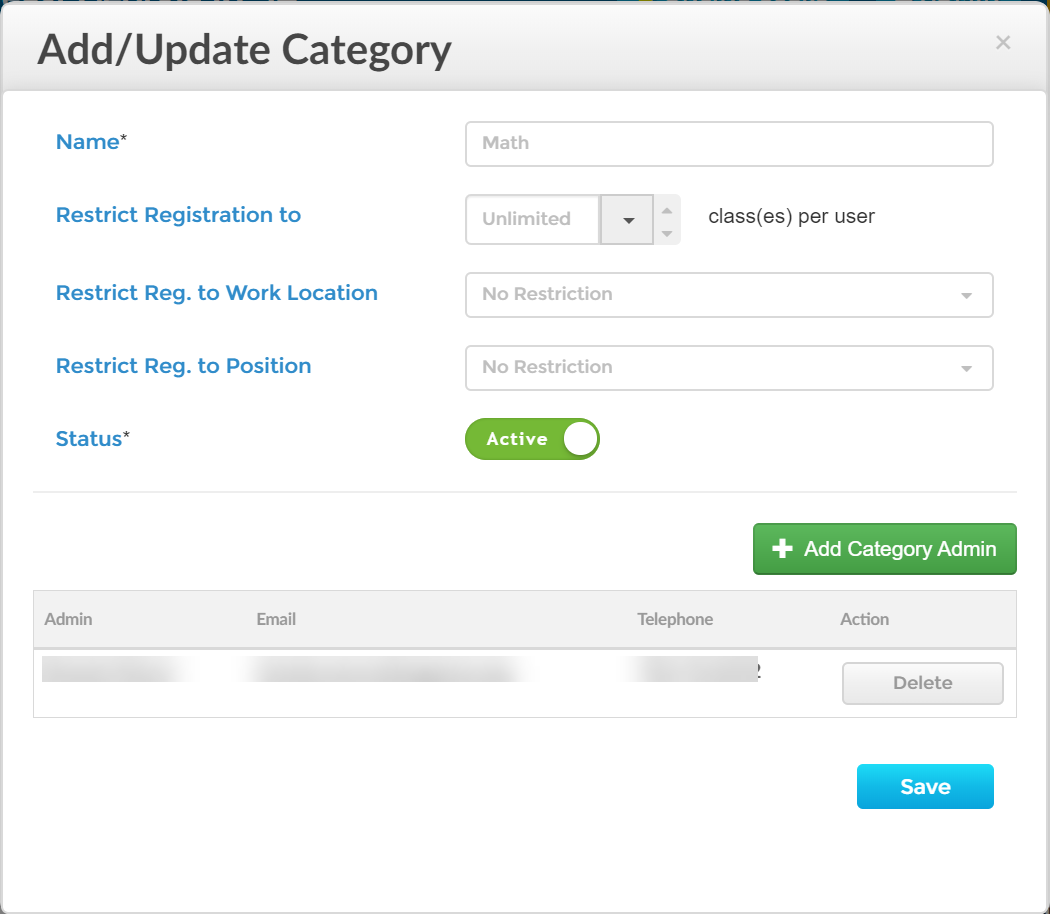
4. Click ‘Save’ to save the changes
1. First, open the ‘Manage Categories’ module. Click here to find out how to open the ‘Manage Categories’ module.
2. Find out the category you want to edit and click on the ‘Edit’ icon as shown below.
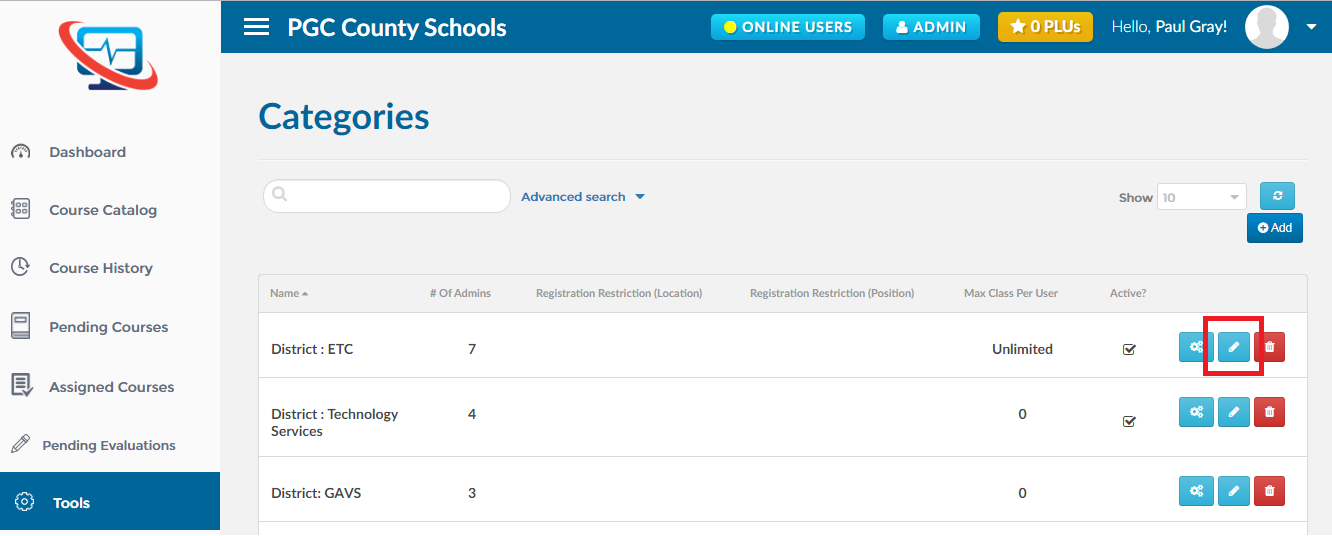
1. First, open the ‘Manage Categories’ module. Click here to find out how to open the ‘Manage Categories’ module.
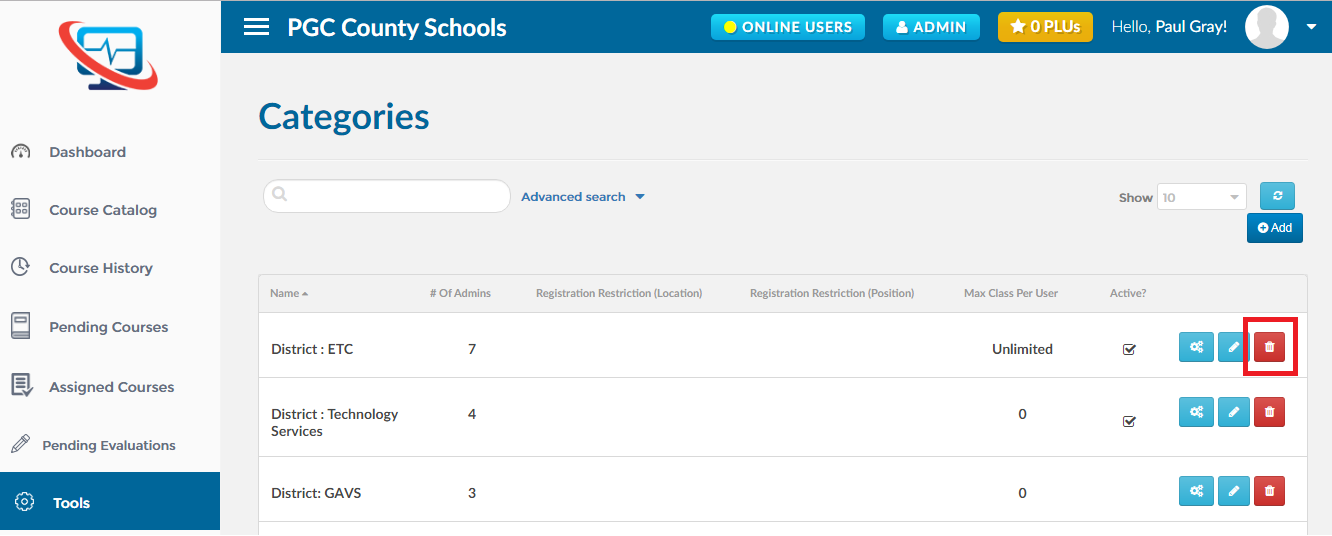
2. Find out the category you want to delete and click on the ‘Delete’ icon as shown below.